Q3X

Passwordfindplc Siemens - S7keys7v314 Verified Patched

Performance levels in a modern design product

Q3X is the ideal solution for those customers searching for the latest performance levels in a modern design product. The thermal head provides excellent graphic printing quality and lower consumption. The cutter has been designed to optimize the product performance, both in terms of efficiency and reliability, and meets the most demanding operating requirements. Its elegant design, developed to perfectly match any environment, is combined with high technological contents. It prints on 80 mm wide thermal paper, with front ticket outlet. Serial / USB interface. 
Bluetooth and Wi-Fi interfaces available.

Design and technological
content excellence

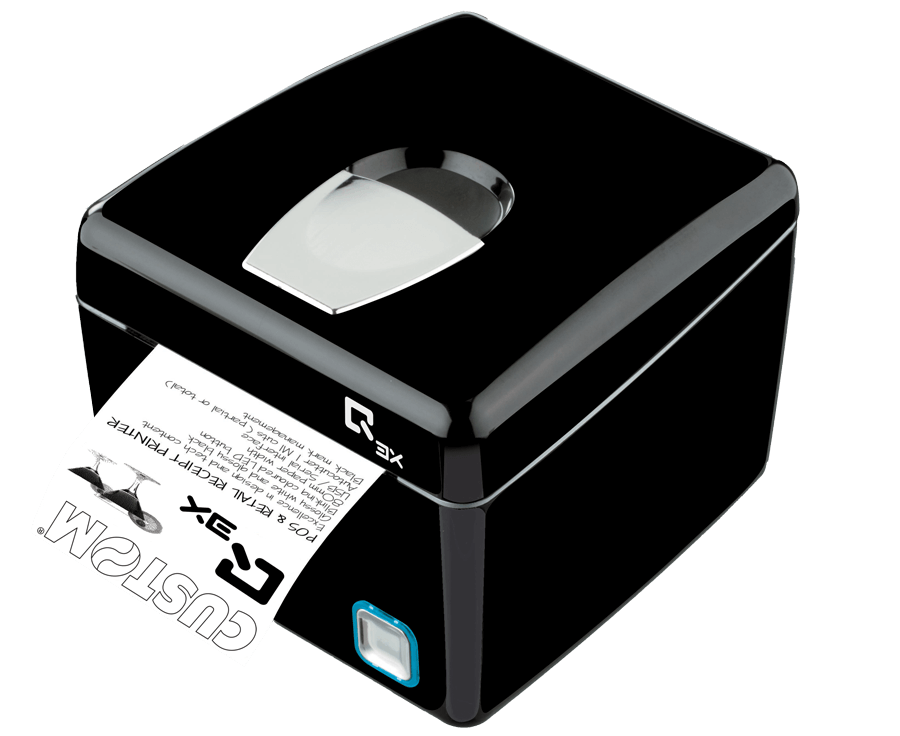
Receipt issue by the POS printer Q3X
Fiscal version available

Q3X Printer for fiscal slips, receipts, invoices and orders

  • Graphics 1 logo (576x910 dots)
  • Drivers: Windows® (32/64 bit) – only on request WHQL and silent installation, Linux (32/64 bit), Virtual COM, OPOS, Android™, iOS, ​MAC OSX, Windows Phone
  • Fonts International fonts on-board: any language available
  • Barcode UPC-A, UPC-E, EAN8, EAN13, CODE39, ITF,CODABAR, CODE93, CODE128, CODE32, 2D barcode PDF417, QRCode
  • Compatibility Android™, iOS, Windows Phone
  • RS232RS232
  • USBUSB
  • Wi-FiWi-Fi
  • BluetoothBT
  • EthernetETH
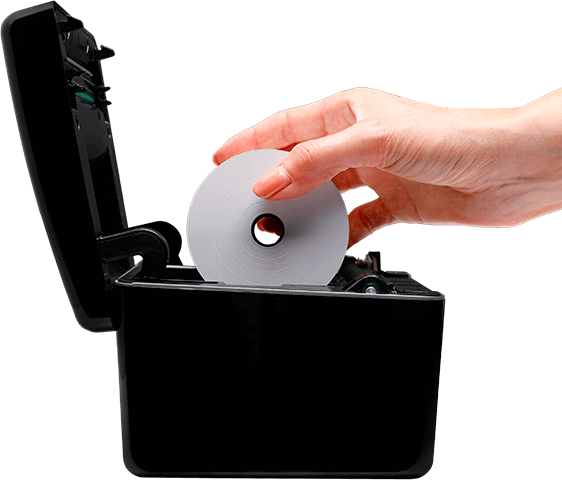
Loading paper roll into the POS printer Q3X Custom
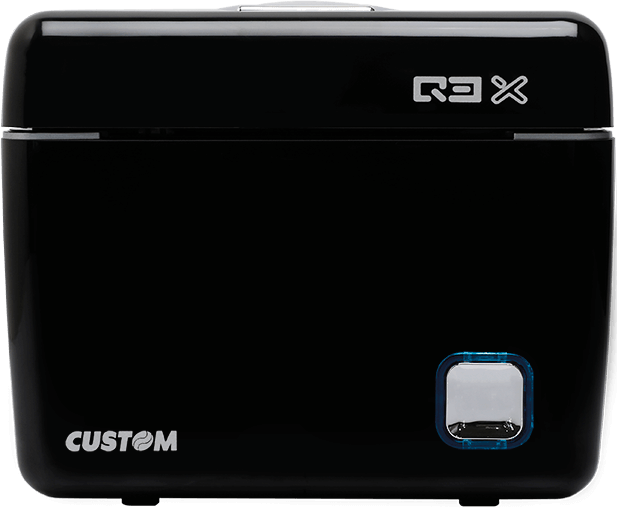
Front view of the POS printer Q3X

Characteristics

  • Paper width 80mm
  • Auto-cutter with partial cut
  • External paper roll max 80mm
  • 1D and 2D (PDF417, QRCode) barcode printing
  • Speed 140mm/sec
  • Lack mark management for auto-alignment
  • Resolution 200dpi
  • Flashing colour LED
  • Paper thickness 63 μm
  • Receipt outfeed at the front
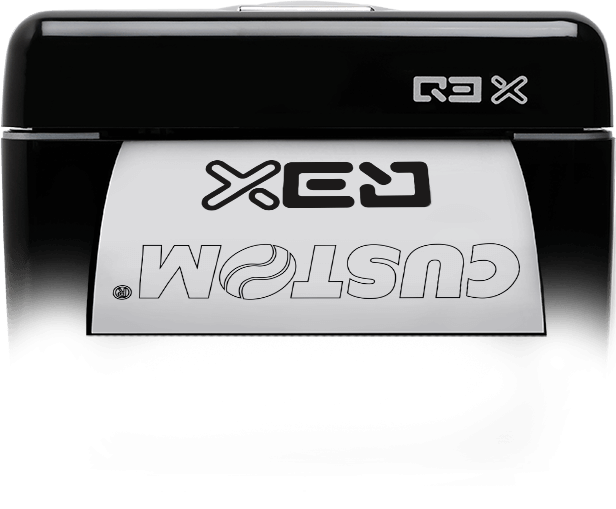
Side of the POS printer Q3X Custom

Software

Icona CePrinterSet

PrinterSet  to update logos, edit characters, set operating parameters and update the printer firmware. It allows you to create a file including the different SW customizations and send them to the printer via the interface provided, for easy and fast setting.

VIRTUAL COM Software Tool to create a virtual serial port on Windows PC (XP,Vista,7.8) capable of connecting Custom devices, physically linked via USB or ETHERNET, in such a way as to be compatible with software applications designed for connection in serial mode

Before attempting a factory reset, check if the system is still using factory defaults.

Siemens implemented various protection levels for the classic S7-300 and S7-400 CPUs. These range from no protection to full read/write protection. Understanding these levels is necessary for any recovery attempt:

Uses a password setup to block unauthorized users from changing code. What Does "s7keys7v314" Mean?

: Refers to the globally deployed SIMATIC S7-300 and S7-400 controller lines that utilize standard MultiMediaCards (MMC) or memory submodules.

In the automation community, strings like s7keys7v314 refer to specific versions of unofficial executable scripts or utilities developed by third-party programmers.

Always maintain an updated, well-documented copy of the PLC program ( .s7p for STEP 7 or .ap... for TIA Portal) on a secure server. If a password is lost and the code is backed up, it is often faster and safer to wipe the PLC and download the backed-up program than it is to attempt password decryption. 3. Transition to Modern Security (TIA Portal)

The S7Key S7V314 tool works by establishing a communication link with the Siemens S7 PLC. Once connected, the tool can retrieve or reset the password, allowing users to access the PLC and its programs. The process typically involves the following steps:

This is particularly dangerous because the S7-300 lacks the robust security features of modern PLCs (like the S7-1500), such as integrity checks and encrypted communications. Once the password is bypassed, the attacker has total control.

Contact us to request more information

Passwordfindplc Siemens - S7keys7v314 Verified Patched

Before attempting a factory reset, check if the system is still using factory defaults.

Siemens implemented various protection levels for the classic S7-300 and S7-400 CPUs. These range from no protection to full read/write protection. Understanding these levels is necessary for any recovery attempt:

Uses a password setup to block unauthorized users from changing code. What Does "s7keys7v314" Mean? passwordfindplc siemens s7keys7v314 verified

: Refers to the globally deployed SIMATIC S7-300 and S7-400 controller lines that utilize standard MultiMediaCards (MMC) or memory submodules.

In the automation community, strings like s7keys7v314 refer to specific versions of unofficial executable scripts or utilities developed by third-party programmers. Before attempting a factory reset, check if the

Always maintain an updated, well-documented copy of the PLC program ( .s7p for STEP 7 or .ap... for TIA Portal) on a secure server. If a password is lost and the code is backed up, it is often faster and safer to wipe the PLC and download the backed-up program than it is to attempt password decryption. 3. Transition to Modern Security (TIA Portal)

The S7Key S7V314 tool works by establishing a communication link with the Siemens S7 PLC. Once connected, the tool can retrieve or reset the password, allowing users to access the PLC and its programs. The process typically involves the following steps: Understanding these levels is necessary for any recovery

This is particularly dangerous because the S7-300 lacks the robust security features of modern PLCs (like the S7-1500), such as integrity checks and encrypted communications. Once the password is bypassed, the attacker has total control.